

Samsung One UI 9 launches: Galaxy AI understands context better, and foldables are easier to use
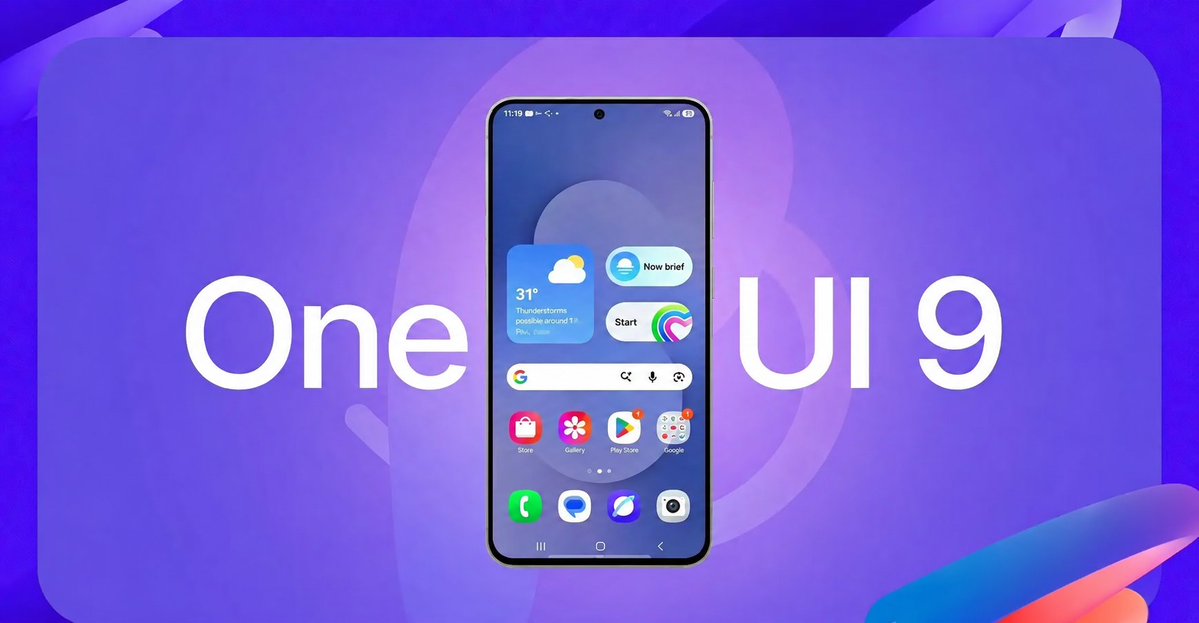
Samsung One UI 9 has begun its broad stable rollout, covering the S26 series and other recent and older models. Image source: Samsung official materials.
If a phone's operating system is like a house, One UI 9 hasn't torn down all the walls and started over. Instead, it has reorganized the routes you take most often: while chatting, you can move straight into scheduling something; after recording an event, you don't have to edit it frame by frame; and the information you check every day can be arranged into a briefing that fits your habits.
The focus of this update isn't "another chatbot." It's that Galaxy AI is getting closer to what's actually happening. Samsung brings Android 17, AI features, foldable-screen adaptations, and Knox privacy protection into one experience.
The short version: an update that means fewer app switches
One UI 9's changes are easiest to notice in small daily tasks. When you talk with a friend about weekend plans in Messages, the system can suggest next steps such as checking the calendar or saving a shared location. If you record a performance in a crowd, it can crop a selected person into a portrait video with the subject centered. When you unlock your phone, Now Brief can arrange weather, health, schedule, or video content into editable cards.
All of these features point to the same idea: you don't have to decide which app to open before you can get something done. You can start with the task in front of you. Of course, what AI can access, and whether it needs an internet connection or a Samsung account, still depends on the model, region, and language. The experience will not be identical on every Galaxy device.
Four Galaxy AI updates you'll notice most
Now Nudge: move from a conversation to the next step
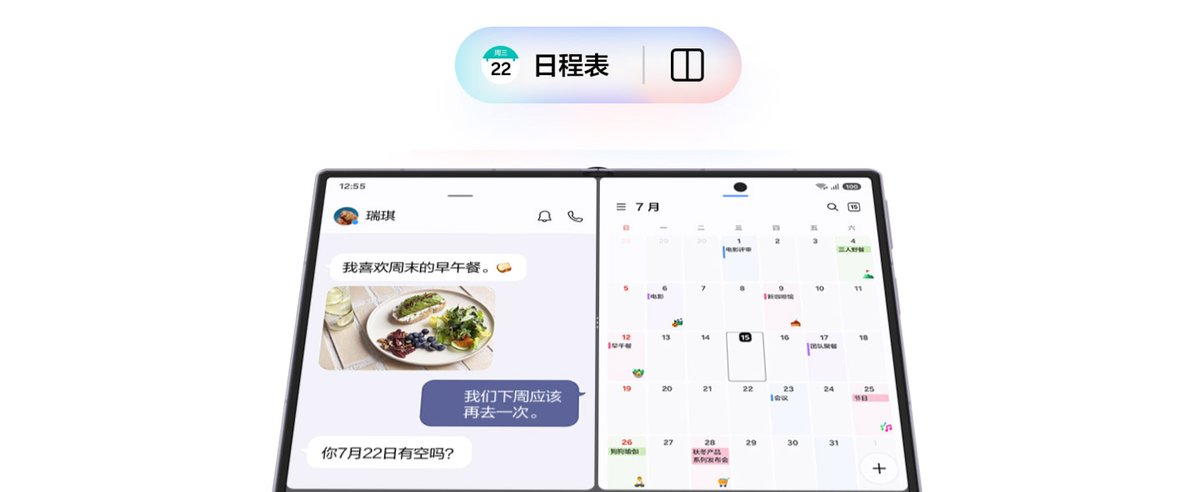
Now Nudge is the clearest example of "contextual AI" in One UI 9. It uses the current screen and the task in progress to suggest what to do next. Samsung's official example shows a calendar prompt appearing when a conversation turns to follow-up plans. You can also use split screen to keep the conversation open while adding an event.
In practice, this feels more natural than simply calling up an assistant. The AI doesn't need you to explain the background again. It first understands what you're doing, then puts potentially useful actions in front of you. It won't quietly do everything on your behalf; you still confirm the important steps. That makes it easier to build trust.
Now Nudge connects Messages, Calendar, and Maps, reducing the number of times you have to jump between apps. Image source: Samsung official materials.
My FanCam: record the whole scene, choose the subject later
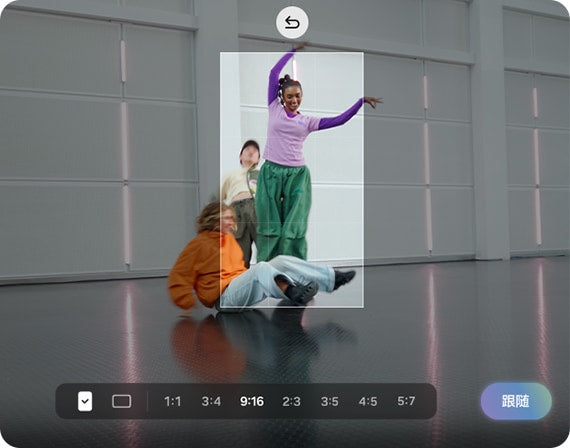
My FanCam is designed for recordings at events, concerts, and gatherings. Start with a wide-angle shot that captures the full scene, then choose one person afterward. The system tracks that person's movement, recrops the footage with the subject centered, and lets you adjust the aspect ratio as needed.
It solves a practical problem: when you're filming on site, it's hard to predict where someone will move. If you lock the camera on one person from the start, you can easily miss what's happening around them. Recording the whole scene and choosing the composition later is much easier for most people than editing by hand. Availability depends on the video content and device support. If the footage has no trackable subject, the system may not be able to complete the crop.
Photo Assist: edit a photo with a sentence
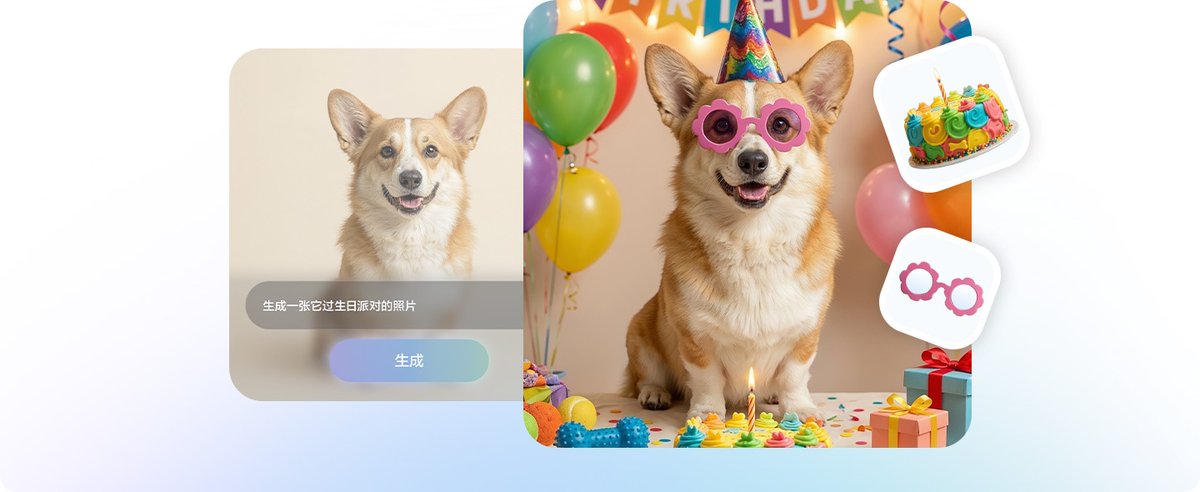
Photo Assist brings natural language into photo editing. Instead of searching through a long list of tools for buttons such as "remove," "brighten," or "change composition," describe the result you want. Galaxy AI adjusts the photo according to your instruction and displays the original and edited versions side by side for comparison.
This approach is especially approachable for occasional editors. You don't need to learn the name of every tool before you can start with a plain-language request such as "remove the people in the background" or "make the subject brighter." Samsung also warns that AI-generated results are not guaranteed to be completely accurate. Some outputs include a visible watermark, so it's best to keep the original file.
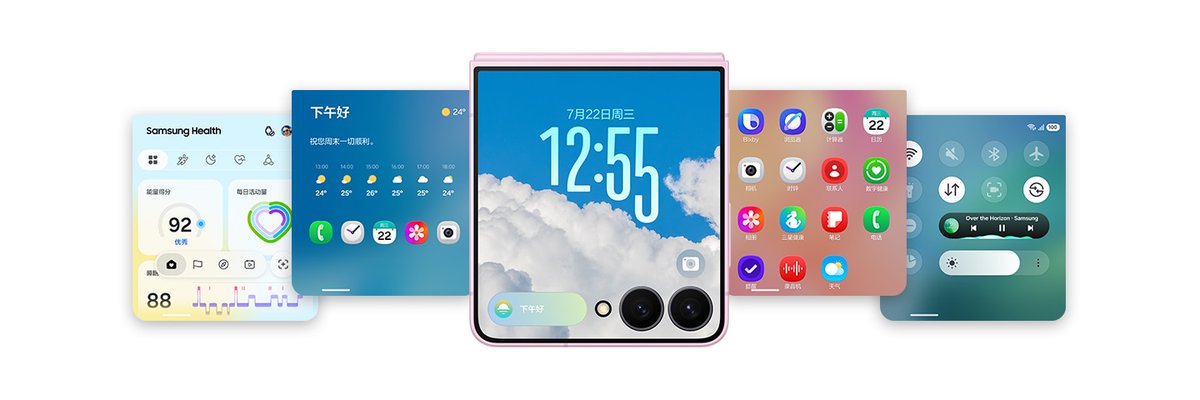
The cover screen is no longer just a narrow window for checking notifications. You can use it to get more done. Image source: Samsung official materials.
Now Brief: decide what you see each day
Now Brief originally brought everyday information together. One UI 9 adds generative, editable cards. You can choose content such as health, weather, and video, then arrange the briefing around your interests and daily rhythm. Shortcuts on the cards can also open Music, Calendar, or navigation directly.
Unlike a traditional notification center, which piles everything together, Now Brief tries to put the information you are genuinely likely to use today in one place. For people with busy schedules, that can be easier than clearing notifications one by one. If you don't want the system to interrupt you too much, start by adjusting the content and notification permissions.
More than AI: translation, recording, and service tools also get updates
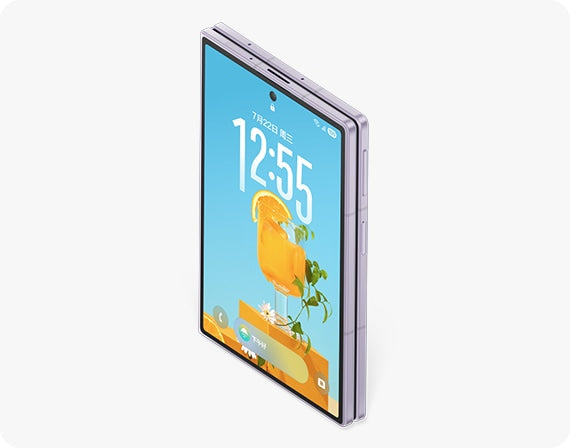
The system adjusts the wallpaper composition to the cover-screen aspect ratio, keeping important content from being blocked by the clock or widgets. Image source: Samsung official materials.
Other One UI 9 features include details that may not dominate a launch event but could become part of your daily routine:
-
Now Brief security summary: Security Brief brings alerts about malware, apps from unknown sources, unnecessary permissions, and other issues together in one view.
-
Calls and translation: Interpreter adds Thread View, making it easier to review earlier conversation context. Conversation Mode responds more quickly in translation, and compatible Galaxy Buds can help reduce latency.
-
Documents and recordings: Document Scan can handle curved book pages and folded or creased paper. Voice Recorder now presents summaries in a structured format with headings, tables, and other elements.
-
Creative Studio: When a birthday or another event in Calendar is approaching, the system can suggest generating a themed image or an electronic greeting card.
-
Warranty and Care: Warranty status, device diagnostics, repair estimates, service appointments, and Samsung Care+ management are easier to find together in Settings.
None of these features is a flashy trick that amazes you at first glance. They all address the same kind of friction: information is scattered across different apps, and you know what you want to do but still have to find several entry points. One UI 9 brings those entry points a little closer together.
Foldable screens: the cover screen is no longer just an emergency window
One UI 9 debuted on the Galaxy Z Fold8 Ultra, Galaxy Z Fold8, and Galaxy Z Flip8, so foldable-device support is naturally a major part of the update. Samsung says the extra-large intelligent cover screen can work like the main screen: swipe up from the bottom to open the app tray, swipe down from the top to view notifications or open the Quick panel, and drag, add, or remove widgets directly.
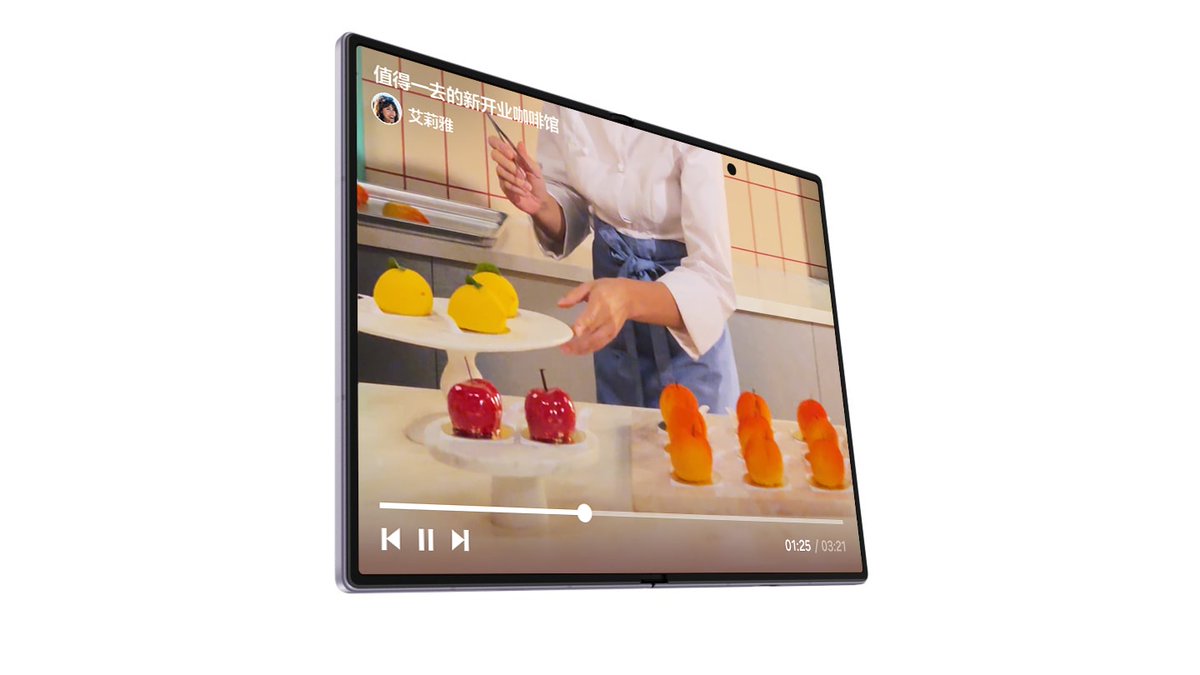
On the Z Fold8, the aspect ratio of the inner and outer screens adjusts to video and article content. The inner screen supports two-way and three-way split screen, making it suitable for viewing information while replying to messages or taking notes. Wallpaper setup is smarter too. The system can move the subject away from the clock and widgets, and fill in space at the top of the image when necessary.
Having an AI companion makes life cooler, too.
One UI 9 makes AI activity visible
My FanCam turns wide-angle footage into a tracked shot with the subject centered, ready to share on social platforms. Image source: Samsung official materials.
The more AI can do on your behalf, the more clearly it needs to show its work. One UI 9 adds an AI Assistant Activity page that lists which apps Galaxy AI accessed, what actions it performed, and when those actions occurred. Think of it as an activity log for AI, so you can check back later instead of letting the feature become an invisible black box running in the background.
AI Privacy Alerts use on-device AI to monitor two risks that are easy to overlook: apps accessing precise location too often and apps making unreasonable requests for permission to run in the background. The system points out potentially sensitive data use and suggests reducing permissions. This does not mean it covers every risk, but it does make permission management easier to understand than when it is buried deep in Settings.
Samsung's Knox Vault and KEEP encrypt personal data on the device. Galaxy AI also lets you choose whether to process data locally on the device or send it to the cloud. Each option involves trade-offs. Local processing generally prioritizes privacy and fast responses, but some features may be limited. The cloud can use more complete models, but you need to pay closer attention to network connections and data transfers.
Update timing: who has it and who is still waiting
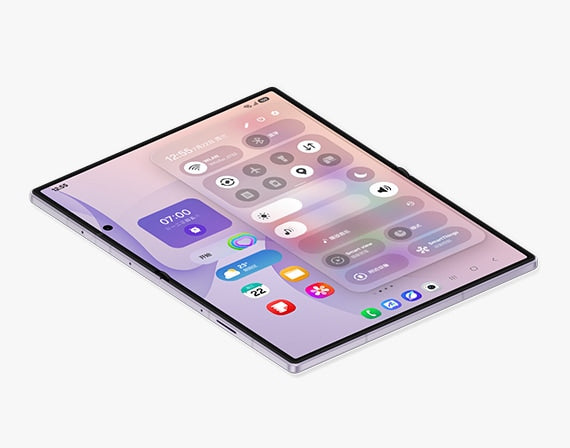
Optimized multitasking and shortcuts make a foldable feel more like a mobile workspace when unfolded. Image source: Samsung official materials.
As of September 22, 2026, the confirmed rollout looks like this:
Preinstalled at launch: The Galaxy Z Fold8 Ultra, Galaxy Z Fold8, and Galaxy Z Flip8 ship with One UI 9.
First stable rollout: Samsung began rolling out the stable version to the Galaxy S26, S26+, and S26 Ultra on September 17. IT Home and Yahoo Hong Kong both identified these as the first in-market devices to receive the update.
Beta devices: The Galaxy A25, A35, A36, A37, A55, A56, A57, along with the S23, S24, S25, Z Flip6, Z Flip7, Z Fold6, and Z Fold7, were included in the One UI 9.0 Beta program at one point. The stable-release timing still depends on region and test results.
This list does not mean every region will receive the update on the same day. Samsung also clearly says that available features and content vary by country or region, device model, One UI version, language, and carrier. Some AI features require a Samsung account or an internet connection. Back up important data before updating, and make sure you have enough battery and storage. That is usually more practical than repeatedly checking for the update manually.
One note: the What is Worth Buying article is labeled an "AIGC article." It includes an earlier rollout date and several predictions about foldable features that do not fully match Samsung's current official pages. For that reason, this article does not treat its predictions as an official schedule and mentions them only as part of the online discussion.
Meydo, your AI companion in your pocket

Photo Assist edits photos with text instructions and provides a side-by-side comparison of the original and the result. Image source: Samsung official materials.
Galaxy AI helps the system understand the situation at hand. A genuinely useful AI companion should also be within reach whenever you need it.
One UI 9 has a clear direction: smoother operation, more proactive AI, and better continuity across Galaxy devices in different form factors. Image source: Samsung official materials.
Meydo puts companionship, conversation, and everyday help in your pocket. You don't have to wait for a major problem before thinking of it. Whether you want to look something up, organize a thought, or talk for a few minutes, you can start with this small AI companion nearby.
In closing: One UI 9 is about letting your phone interrupt you less
One UI 9 doesn't turn your phone into a fully automated black box. It is more like adding a pair of hands that understand context alongside the familiar workflows: reminding you to continue when a conversation turns to scheduling, reframing a video after you record it, organizing the information that actually matters in the morning, and leaving a clear record of what AI did.
This kind of update may not feel dramatically new every time, but it can interrupt you fewer times during the day. For people already used to the Galaxy ecosystem, One UI 9's appeal is not only the list of new features. It is that AI, foldable screens, and privacy settings are beginning to work together under the same logic. As for when your model will receive the update and which features will be available, check Settings > Software update and announcements from Samsung in your region.
Sources for information and images: Samsung China One UI 9 official page; IT Home, "Samsung One UI 9 stable version rollout: Galaxy S26 series among the first to upgrade, Z Fold8 already preinstalled"; Yahoo Hong Kong / PC3, "Samsung begins One UI 9 rollout plan; Galaxy S26 series receives the update in the first phase"; Sohu / CNMO, "Samsung One UI 9's four major AI features and supported models revealed"; Baidu Baijiahao, "First Samsung One UI 9 stable rollout: S26 series and foldables upgraded first." Some features require a Samsung account, an internet connection, or support for a specific language. AI output may be incorrect; actual capabilities depend on the official release.


