

Over the past two years, nearly every smartphone launch has centered on AI. Phones can remove bystanders from photos, summarize recordings, and answer questions. Yet no matter how many features are added, one hurdle remains: once the AI gives you an answer, you are usually still the one opening apps, entering information, and moving between screens.
That is exactly the hurdle the nubia NaviX Ultra is trying to clear.
Officially billed as “the world’s first AI agent phone,” the new device treats AI as more than another chat box in the operating system. You can say, “Book me a high-speed train ticket to Shanghai tomorrow morning,” or ask it to find a document in Feishu, summarize it, and then move on to the next task. Once a task starts, you can keep using the phone as usual. Locking the screen does not immediately stop it, either.
The real novelty of the launch is not the number of new ways to access AI. It is that nubia has, for the first time, connected understanding, operation, memory, and authentication into one complete chain.

nubia positions the NaviX Ultra around a straightforward idea: turning AI from a feature into another way to use your phone.
From Telling You How to Do Something to Doing It for You
There is a simple way to judge whether a phone is truly an AI agent phone: see whether it can turn a loosely worded request into a series of concrete actions.
At the launch, nubia broke this process into several stages. The Doubao Mobile Assistant first interprets the user’s intent and defines the task objective, then divides a complex request into subtasks. When it encounters an unfamiliar app or interface, it tries to identify the elements on the screen and find a workable path. If something goes wrong during execution, it can dynamically switch approaches and, when necessary, hand control back to the user.
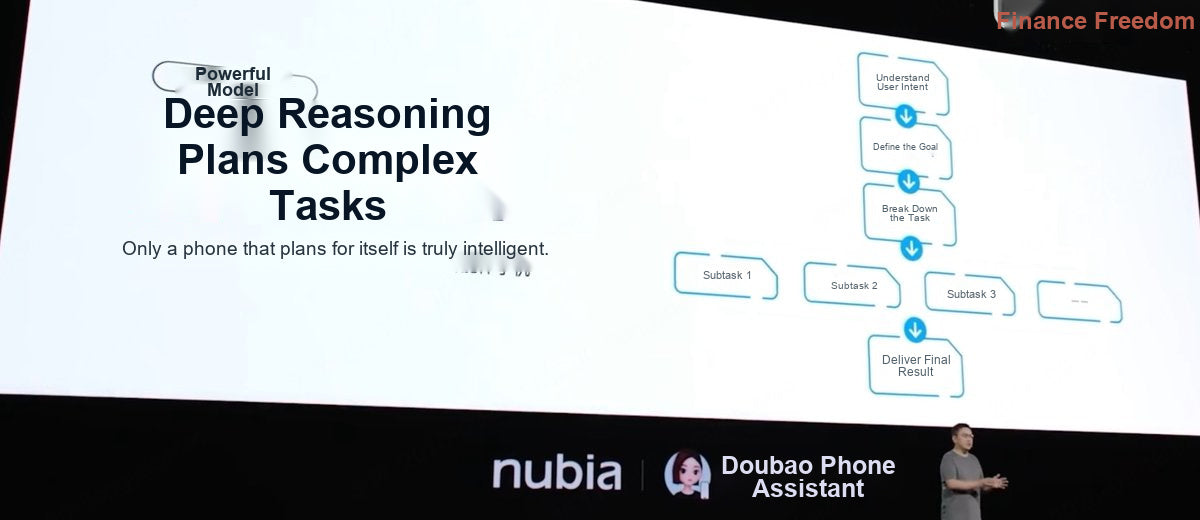
From interpreting intent to breaking a request into steps, the NaviX Ultra is trying to solve the hardest part of AI on a phone: execution.
This differs from the fixed-command approach of the past. A traditional voice assistant works more like an ever-expanding command list: the system already knows which interface to call when asked to “turn on the flashlight” or “set an alarm.” An agent, by contrast, may have to handle a task that lasts more than ten minutes and spans multiple apps. The capabilities described at the launch included cross-app operation, more than 100 consecutive steps, long-context retention, and continuous checks during execution to determine whether the goal has been completed.
The system does not require every third-party app to build a dedicated AI integration in advance. Within the scope of the user’s authorization, a multimodal model can identify and operate app interfaces. For system apps and some partner services, it can complete tasks through deeper integrations instead. The first approach determines breadth of coverage; the second determines stability. Using both is closer to the reality of a smartphone environment than relying on either one alone.
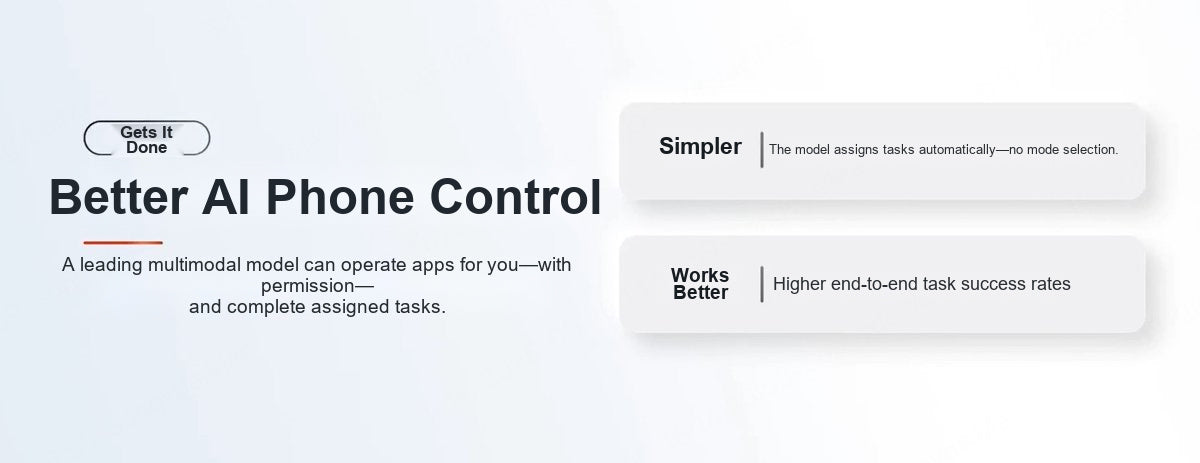
Within the scope of the user’s authorization, the model can operate app screens and complete end-to-end tasks.
One example from existing reviews illustrates the point well. The phone was asked to search Weibo for posts published that day by a particular tech blogger and compile them in a note. After receiving the command, the AI handled the search, reading, and synthesis on its own, then delivered an editable result. Instead of following the AI’s suggestions and tapping through every step, the user only had to review the finished work.
The Most Important Upgrade: You Can Keep Using the Phone While AI Works
Phone-based agents face an often-overlooked conflict: the AI needs to operate the screen, but so does the user. With many mobile assistants, returning to the home screen or opening another app interrupts the process once a task is underway. The assistant may appear capable of getting things done, but in practice it takes over the entire phone.
The NaviX Ultra addresses this by moving tasks into the background. Once the AI begins working, its progress is minimized to the status area at the top of the screen. The user can keep chatting, browsing content, or handling other work. Locking the screen does not automatically end the task; if human confirmation is needed, the system hands control back to the user.
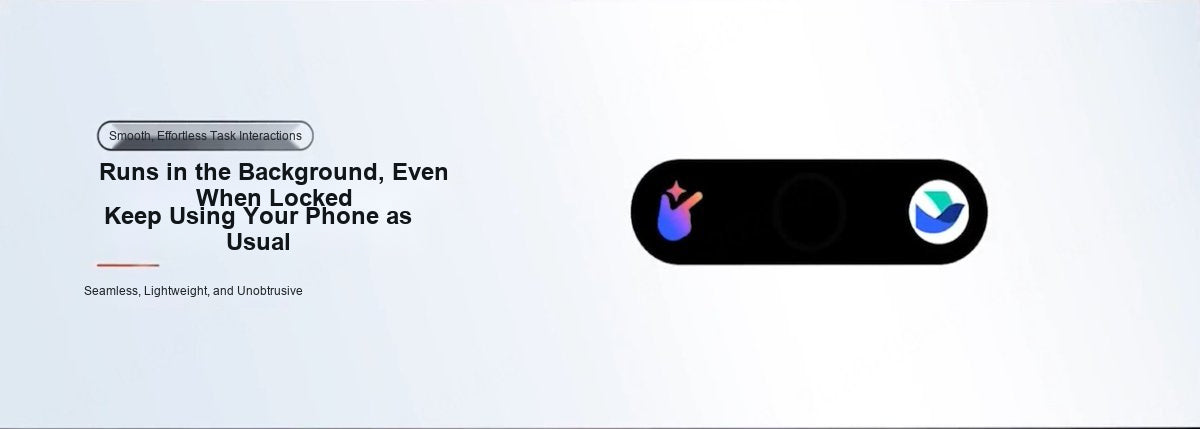
Tasks keep running in the background without taking over the phone’s foreground interface.
This may not sound as eye-catching as generating an image, but it is a dividing line between an agent that can be used occasionally and one that can become part of daily life. Users do not have to watch the AI work step by step or put their own activity on hold. The phone effectively gains two parallel lines of operation: one for the user and one for the agent.
The NaviX Ultra also supports task queues. In one review, a user first asked it to open Feishu Minutes, then added a ticket-booking task. The system recorded both requests and carried them out in order. If the second task was more urgent, the user could interrupt the current process and change the priority. Being able to hand over several tasks at once and let the phone work through them begins to resemble a personal assistant.
Interaction is also designed to accommodate natural speech. You do not have to compose the perfect command in your head before speaking. You can think out loud, add conditions midway through, or revise the request. The launch also demonstrated a “Work Task Mode” that can generate code, documents, spreadsheets, or presentations from a single instruction, covering common productivity scenarios such as Coding, Doc, Excel, and PPT. It may not replace a complete desktop workflow, but it has a clear practical use for quickly building a small web tool or organizing a set of materials.
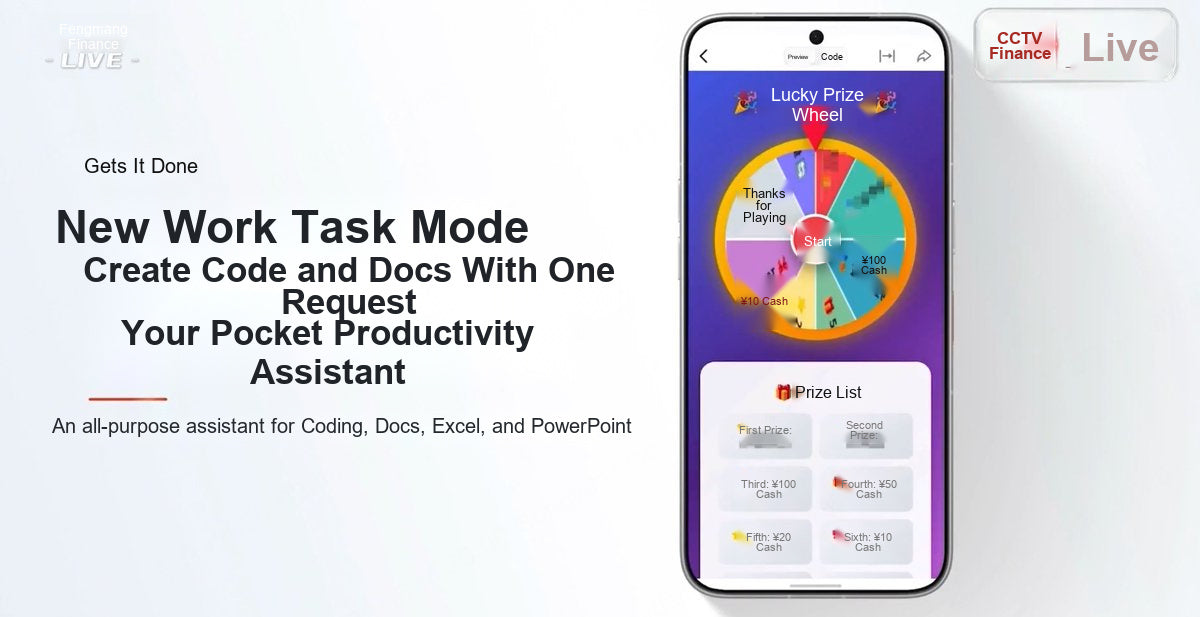
Work Task Mode covers code, documents, spreadsheets, and presentations.
Waking the AI Should Not Start With a Multiple-Choice Question
A smart assistant that is buried deep in the interface is unlikely to become a habit. The NaviX Ultra therefore offers four ways to access it: a dedicated AI button on the side of the phone, voice activation, near-mouth speaking, and companion devices in its ecosystem.
The near-mouth speaking feature is particularly close to how people naturally interact. Once enabled, you can bring the phone to your mouth and state a request without first saying a fixed wake phrase. The phone uses the Seed full-duplex voice model, which supports continuous conversation and lets users interrupt at any time. According to data published by nubia’s laboratory, in environments with background speech, its wake rate and sentence accuracy outperform comparison products by 48% and 21%, respectively. It also supports more than 10 dialects. Actual performance will still vary with the environment and the speaker’s accent, but the direction is clear: lowering the barrier to speaking is the first step toward making AI a frequently used interface.
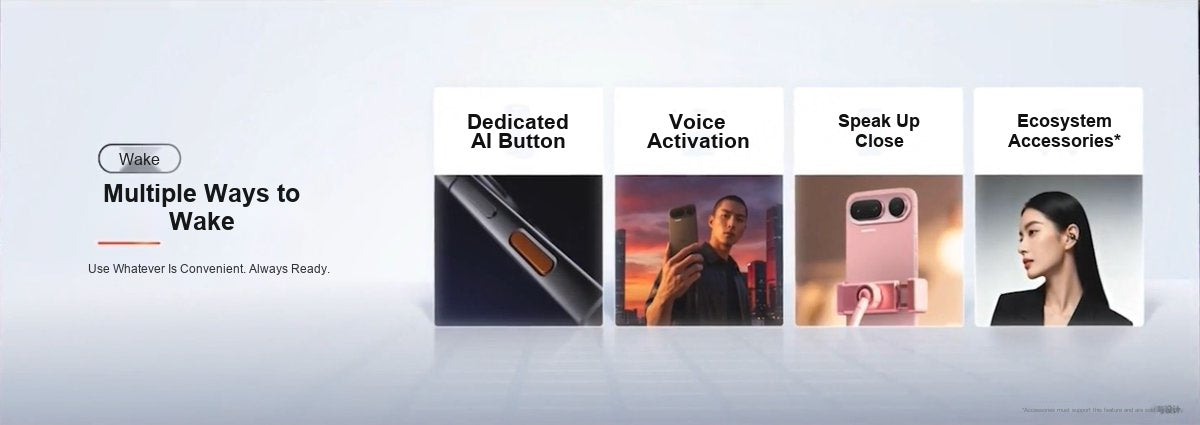
A dedicated AI button, voice activation, near-mouth speaking, and ecosystem accessories all reduce the distance between people and AI.
The orange AI button on the side serves a second purpose: it also includes a fingerprint reader. Pressing it does more than wake the assistant; it tells the system that the person speaking is the phone’s owner. Once AI can access schedules, contacts, conversation history, and personal preferences, identity verification is not a nice-to-have. It is a prerequisite for using the system with confidence.
A Phone Needs Memory Before It Can Truly Understand You
Operating apps is not enough for an agent that is supposed to get things done on someone’s behalf. It also needs to know whether you prefer a window or aisle seat, remember which restaurant you saved last time, and find answers among the documents, recordings, and chat histories scattered across your phone.
The NaviX Ultra’s approach has three layers. The first is active capture: when you see a restaurant you want to visit, say “remember this” and the information is added to memory. Later, you can ask, “Where was that place from last time?” The assistant can retrieve the record and then start navigation. The second layer is preference learning. With the user’s confirmation, the system gradually remembers frequently used settings and operating habits, so it needs to ask fewer questions when handling similar tasks. The third is local data retrieval. Once the user actively enables and authorizes it, natural-language queries can search documents, contacts, text messages, alarms, and other information on the phone without requiring the user to remember which app contains it.
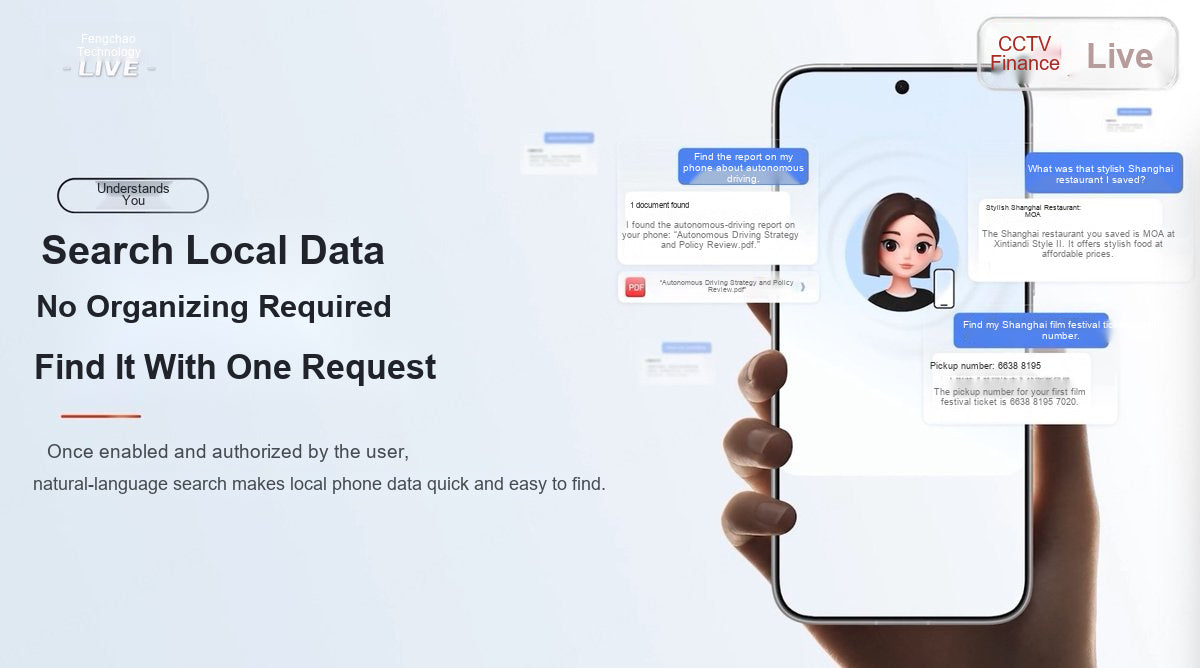
The value of local data retrieval is not that it organizes every file for you, but that it makes information findable before everything is neatly filed.
Recordings are also part of this memory system. The phone supports real-time transcription, speaker identification, structured summaries, and mind-map generation, and it integrates with Feishu Minutes. For people who regularly attend meetings, conduct interviews, or take classes, this is far more useful than simply adding another record button. Capturing the content is only the first step. It does not truly become part of a personal knowledge base until it can be searched, cited, and used in further work.
The more a system remembers, the greater the risk. nubia did not avoid that issue. When the phone is locked, users can separately decide whether the assistant may access the internet to answer questions, carry out simple commands, access stored memories, operate the phone, or read conversation history. When personal information is involved, the system authenticates the user through the fingerprint sensor in the AI button. Anyone who is not the owner receives a restricted answer.
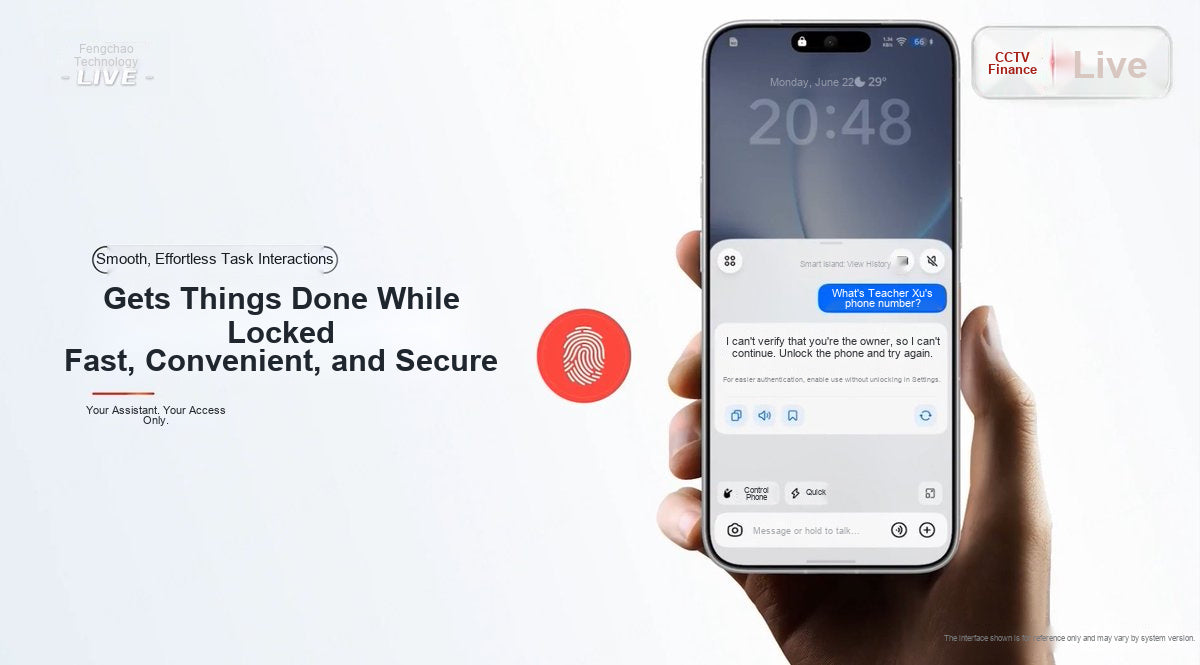
The same question produces answers with different permission levels depending on whether fingerprint authentication has been completed.
The launch also introduced the SAEP ecosystem protocol, which brings app access policy declarations, user authorization controls, and end-to-end auditing into the security framework. It also presented management system certifications including ISO 27001, ISO 27701, and ISO/IEC 42001. For an AI agent phone, security cannot rest on the phrase “your data is protected.” Users should be able to see what the system accessed, why it accessed it, and how to revoke permission.

AI Enters the Camera Viewfinder, Too
nubia has not limited its agent capabilities to productivity and everyday services. The NaviX Ultra’s “AI Imaging Master” offers inspiration capture, voice-guided shooting, image transformation by voice, and AI voice editing.
While taking a photo, users can say things like “move a little closer” or “switch to 2x zoom,” with voice guidance helping them compose and take the shot. Afterward, they can use natural language to remove elements, extend the image, or enhance clarity. The image-transformation feature allows generative adjustments to a photo’s content. Compared with burying AI tools several levels deep in a menu, this approach better suits situations where the photographer’s hands are occupied.
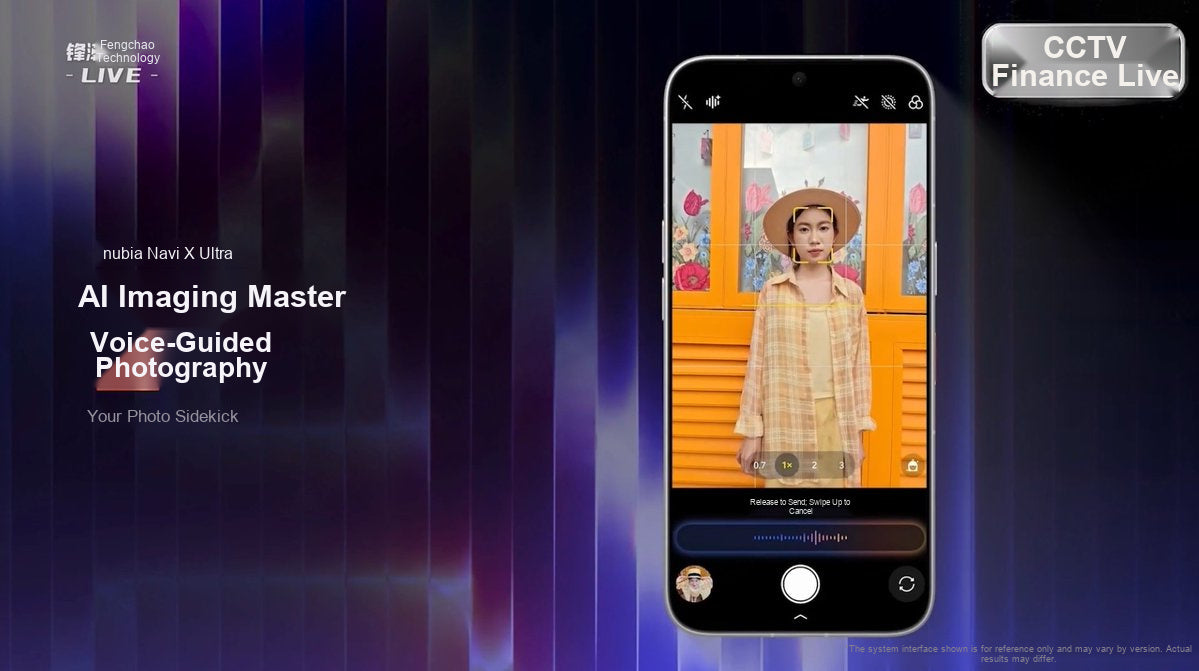
Voice-guided shooting turns camera controls that once required taps into a real-time exchange during the shoot.
Beyond the Agent, It Is Still a Flagship Phone
AI is the NaviX Ultra’s most visible label, but a phone expected to run tasks in the background for extended periods still depends on its hardware.
On the front is a flat 6.78-inch display with bezels measuring about 1.09 mm on all four sides, a 1–144 Hz LTPO 2.0 adaptive refresh rate, and peak brightness of 4,500 nits. The flat panel, large-radius corners, and extremely slim, even bezels give the device a clean look. On the back, a full-width horizontal camera module creates a three-part structure, while the orange AI button is the phone’s most distinctive visual element.
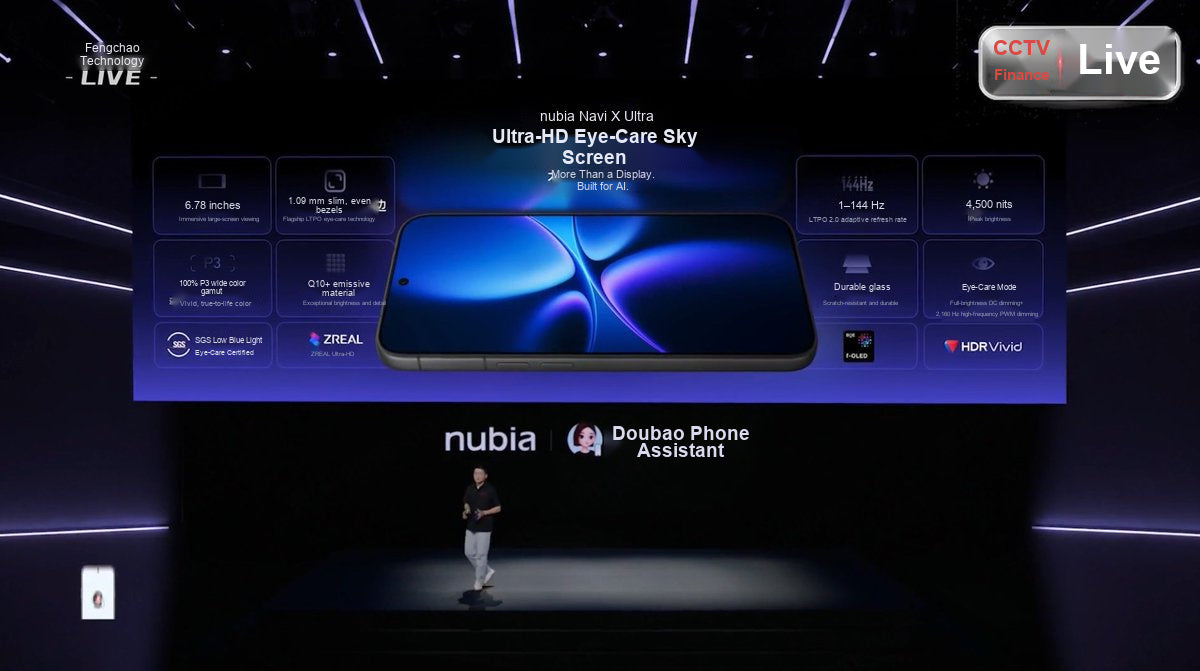
A flat 6.78-inch display, a 1–144 Hz adaptive refresh rate, and extremely slim, even bezels are among the screen’s key features.
As for the core specifications, review materials indicate that the NaviX Ultra uses the Snapdragon 8 Elite Gen 5 and offers two biometric options: a 3D ultrasonic fingerprint sensor under the display and a fingerprint sensor in the side AI button. Its rear camera system consists of a 200-megapixel main camera, a 50-megapixel ultrawide camera, and a 64-megapixel periscope telephoto camera. The 7,100 mAh battery, 90 W wired charging, and 50 W wireless charging also provide headroom for demanding scenarios such as maintaining network connectivity, interpreting on-screen content, and executing tasks across apps.
Pricing is 5,999 yuan for the 12 GB + 512 GB model, 6,499 yuan for the 16 GB + 512 GB model, and 7,499 yuan for the 16 GB + 1 TB model. The launch announced a starting price of 5,499 yuan after China’s national subsidy.
“World’s First” Is Only the Beginning. Now It Has to Keep Getting Things Right
The NaviX Ultra’s greatest value is not that it gives a voice assistant a more fashionable name. It is that AI is built into the phone’s chain of operation: it can understand goals, work across apps, continue in the background, draw on personal memory, and use an authentication system aligned with its execution permissions.
Of course, a smooth launch demonstration does not mean every scenario is mature. Questions remain: Will the system still recognize a third-party app after its interface changes? What is the success rate for tasks involving dozens of steps? Will it pause for confirmation before high-risk actions such as payments or sending messages? Can it resume from where it stopped after a network interruption? These issues require validation over longer periods and in more complex everyday use. The more open the app ecosystem, the more an agent can do. The clearer the permission boundaries, the more willing users will be to hand tasks over to it.
At the very least, nubia has moved the question forward. We used to ask, “What can AI on a phone answer?” With the NaviX Ultra, the question is becoming, “Can the phone finish this for me?”

Being the world’s first is only the starting point. The next test for AI agent phones is whether they can complete tasks reliably in real life.
Note: The product capabilities, laboratory data, specifications, and pricing in this article were compiled from images shown at the launch and currently available review materials. Actual features, supported apps, and performance are subject to the mass-production version.


