

When a phone operating system gets a major update, users usually notice the icons, wallpaper, and animations first. HyperOS 4 goes beyond the interface, though. Xiaomi describes the upgrade with three ideas—“a living aesthetic, end-to-end smoothness, and AI across the entire ecosystem”—and puts Super XiaoAi 2.0 at the center of the system experience.
In simple terms, HyperOS 4 aims to solve three problems: giving the interface more depth, keeping the phone responsive over time, and freeing users from having to remember which app contains each function. You can pull out the Inspiration Ball, point it at an address on the screen, and have it start navigation. You can also ask Super XiaoAi to combine your saved items, photos, and schedule into a complete plan. The system is no longer simply waiting for the next tap; it is starting to understand what the user wants to finish.
The Bottom Line: This Is More Than a New Skin
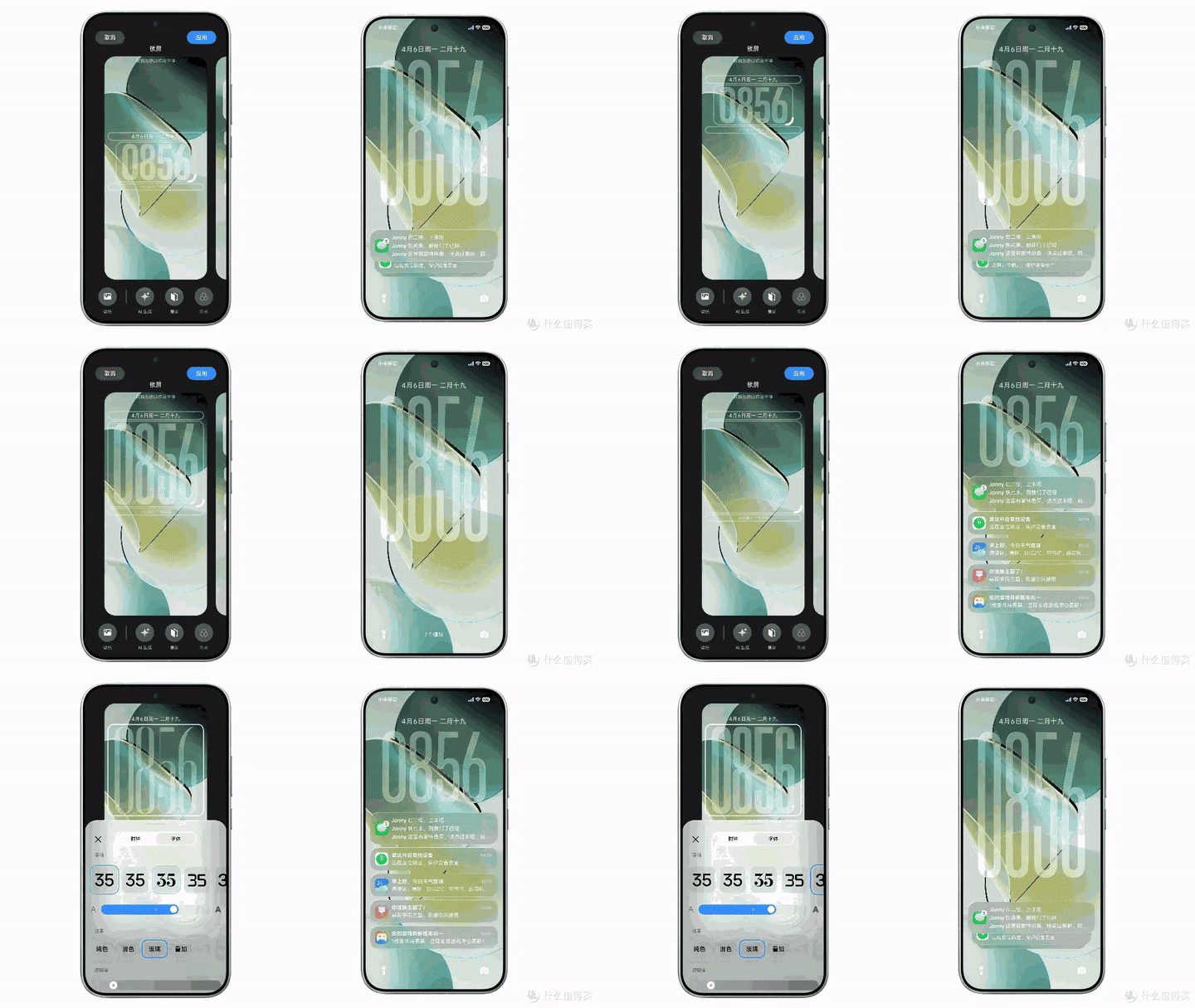
Liquid Glass, the lock-screen clock, and notification hierarchy are brought together in one continuous set of interaction feedback.
The HyperOS 4 upgrade can be broken into three tracks:
-
A living aesthetic: Liquid Glass adjusts its transparency according to the content and surroundings, while taps and drags receive corresponding lighting feedback. The lock-screen clock, notifications, folders, and widgets can also be arranged more freely.
-
End-to-end smoothness: The underlying system adds load calculation, memory preloading, and a new application runtime, with the goal of keeping startup, switching, photography, and demanding animations stable.
-
AI across the entire ecosystem: Super XiaoAi 2.0 connects to the Xiaomi MiMo large model and adds the Inspiration Ball, Task Island, and Expert Mode. It can also connect phones, computers, tablets, cars, and Mi Home devices.
These tracks are not separate features. Liquid Glass makes interactions feel responsive, system scheduling makes those responses fast enough, and Super XiaoAi tries to connect “saying one sentence” with “getting one thing done.”
Liquid Glass: The Interface Starts Responding to Your Actions
The most visible change in HyperOS 4 is an interactive material Xiaomi calls “Liquid Glass.” It is not simply a translucent filter placed over the interface. It adjusts panel transparency according to the background content, keeping a clear sense of depth between text, buttons, and images.
Xiaomi demonstrated several specific effects. Tapping produces a lighting response. When an icon or panel is dragged, light flows along its path. As the background changes, the glass panel changes its transparency as well. The purpose is practical: users can tell what they tapped and where the content is moving.
Your Home Screen Finally Feels More Like Your Own
HyperOS 4 also gives users more control. The lock-screen clock can be repositioned, and notifications can be stacked. Folders can switch between different sizes and styles, while widgets can be stacked into groups. On tablets, a new floating-window framework makes it easier to switch between immersive browsing and efficient multitasking.
These changes may not sound dramatic, but they affect details people encounter every day. The home screen no longer asks everyone to use the same layout, and notifications no longer have to turn the lock screen into one long list of information.
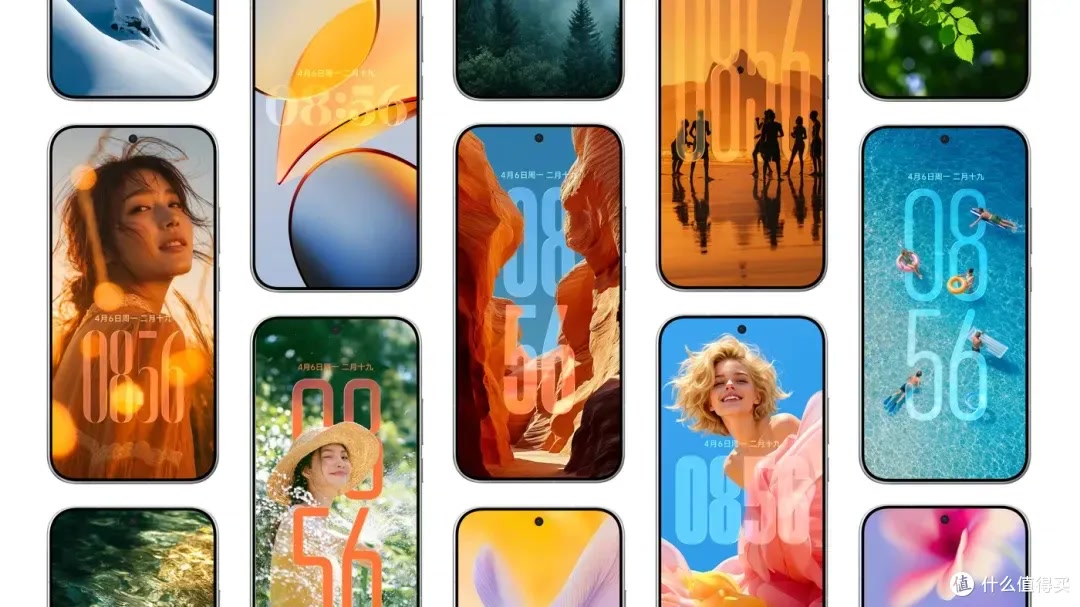
Different wallpapers, time layouts, and home-screen arrangements can be freely combined, so personalization is no longer limited to changing the wallpaper.
End-to-End Smoothness: Breaking “Fluidity” into System-Level Work
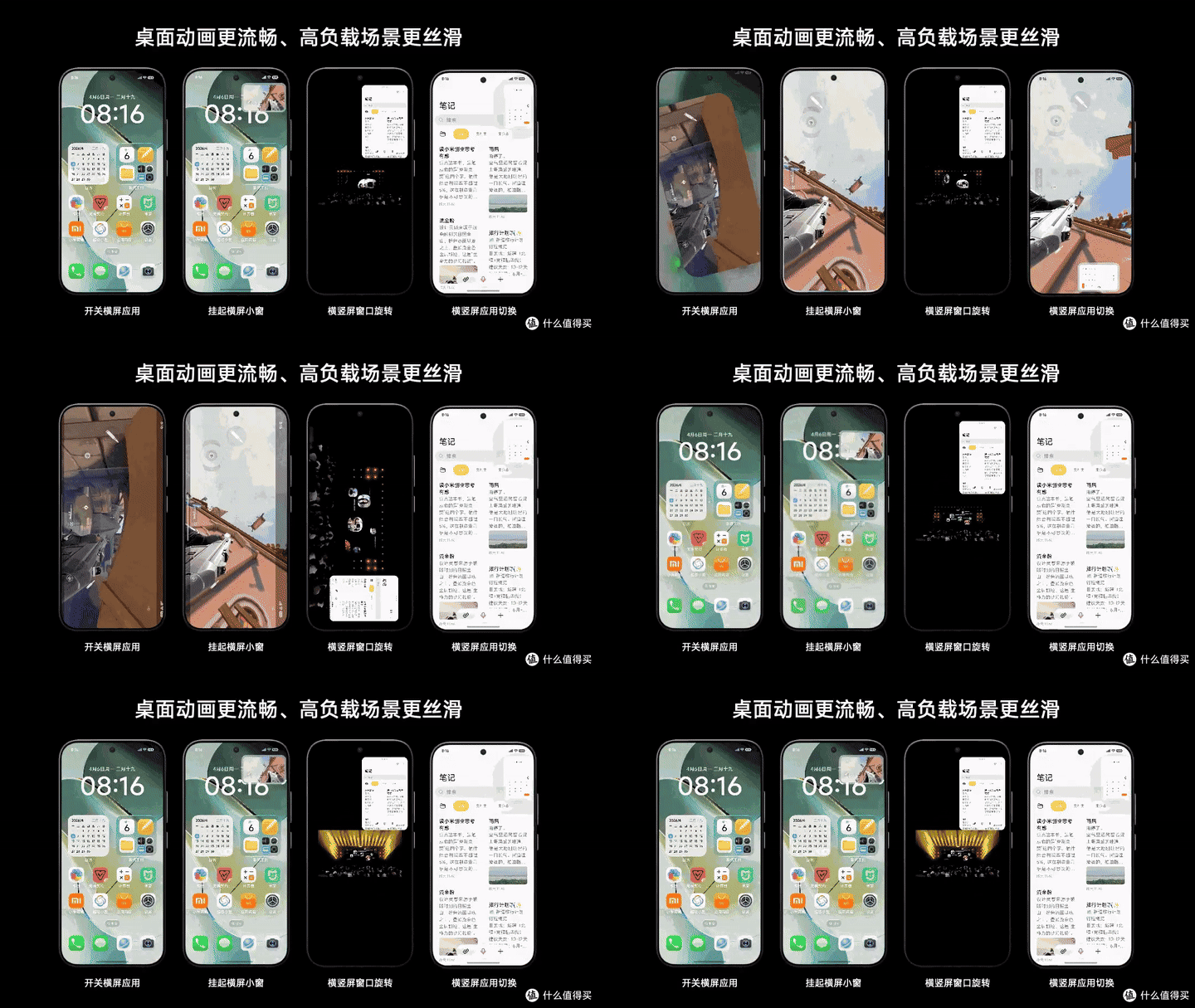
“Smoothness” appears in every operating-system launch presentation. This time, Xiaomi’s focus is on load calculation, memory preloading, and the application runtime.
Load calculation continuously monitors activity across system pathways, breaks instructions apart, and assigns priorities. Memory preloading organizes and prepares memory in advance based on usage habits. The new application runtime brings finer optimizations to app startup, switching, and high-load scenarios.
On the Xiaomi 17 Ultra, Xiaomi compared HyperOS 3 with HyperOS 4. After 9 hours of continuous use and launching 30 apps, total app startup time fell from 169.4 seconds to 139.7 seconds, a decrease of 17.5%. Cold camera startup fell from 1043.6 milliseconds to 808.8 milliseconds, while rear-camera HDR capture fell from 313.38 milliseconds to 240.16 milliseconds.
Short-video use provides another set of easier-to-understand metrics. HyperOS 4 recorded an average dropped-frame rate of 0.11%, rising to 0.22% after 9 hours of use. The corresponding figures for HyperOS 3 were 1.27% and 1.61%. These figures come from Xiaomi’s laboratory. Actual performance will still be affected by the device model, temperature, app version, and network conditions, but they show that Xiaomi has tied “smoothness” to concrete parts of the experience: startup, photography, and long periods of scrolling.
Switching between portrait and landscape, landscape floating windows, and desktop animations are everyday details where “end-to-end smoothness” is easiest to feel.
Super XiaoAi 2.0: From Answering Questions to Finishing Tasks
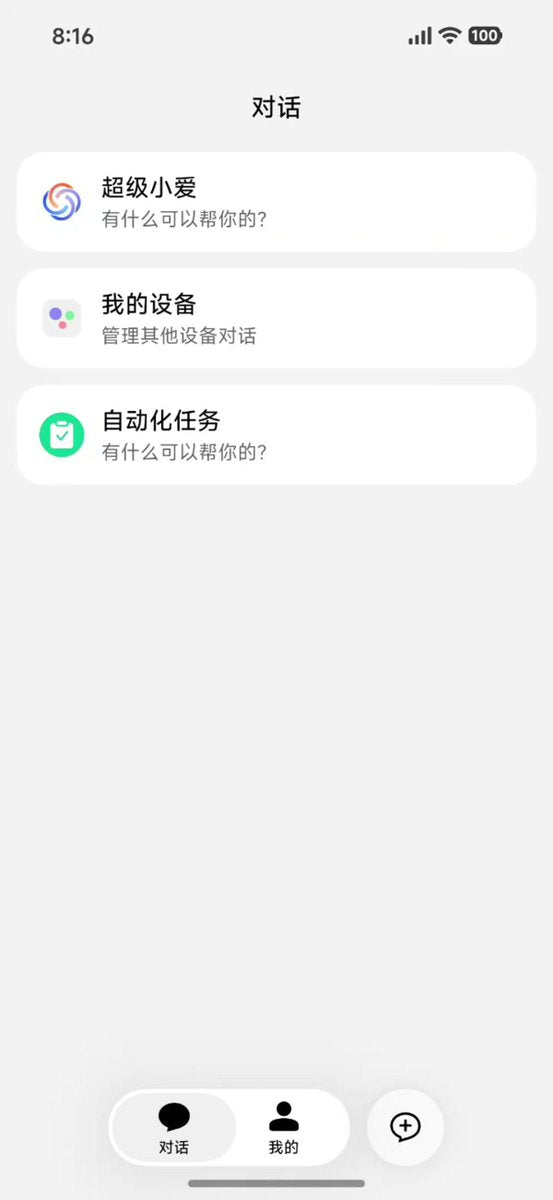
Super XiaoAi 2.0 is the other main thread running through HyperOS 4. Built on the Xiaomi MiMo large model, it adds interaction methods designed for ongoing tasks: Task Island, the XiaoBai Bar, and the Inspiration Ball.
Task Island is designed for jobs that take time. For example, after you ask XiaoAi to organize information or generate content, the task continues running in Xiaomi Super Island. You can leave the current page, and the result automatically expands when it is ready. The XiaoBai Bar shortens the process of calling XiaoAi: press and hold the bottom of the screen, speak, and release. There is no need to open a separate assistant page first.
The Inspiration Ball: Point at the Screen and Speak
The Inspiration Ball works much like an on-screen pointer. After pulling it out, you can point at an address and say, “Navigate here”; point at a product and say, “Find me the same one”; point at a poster and say, “Add this time to my schedule”; or point at a photo and say, “Remove the bystanders.”
It addresses one of the most frustrating parts of using a phone: even after users have found what they need, they often still have to copy text, switch apps, and paste it again. The Inspiration Ball uses the current screen as context and removes those steps.
Expert Mode: Handling Longer Task Chains with One Sentence
The point of Super XiaoAi 2.0’s Expert Mode is not to make a conversation look more like a chat. It is to let the assistant call system and ecosystem services in sequence.
The tasks Xiaomi demonstrated include finding photos in the gallery and selecting them into an album; planning a weekend trip from saved items; adjusting Mi Home devices with one sentence; preparing the car’s interior environment before departure; checking package deliveries and sending reminders on a daily schedule; combining personal saves with information from across the web to generate in-depth research; generating a PPT directly from a topic and outline through to the pages; and generating a usable webpage from a text description.

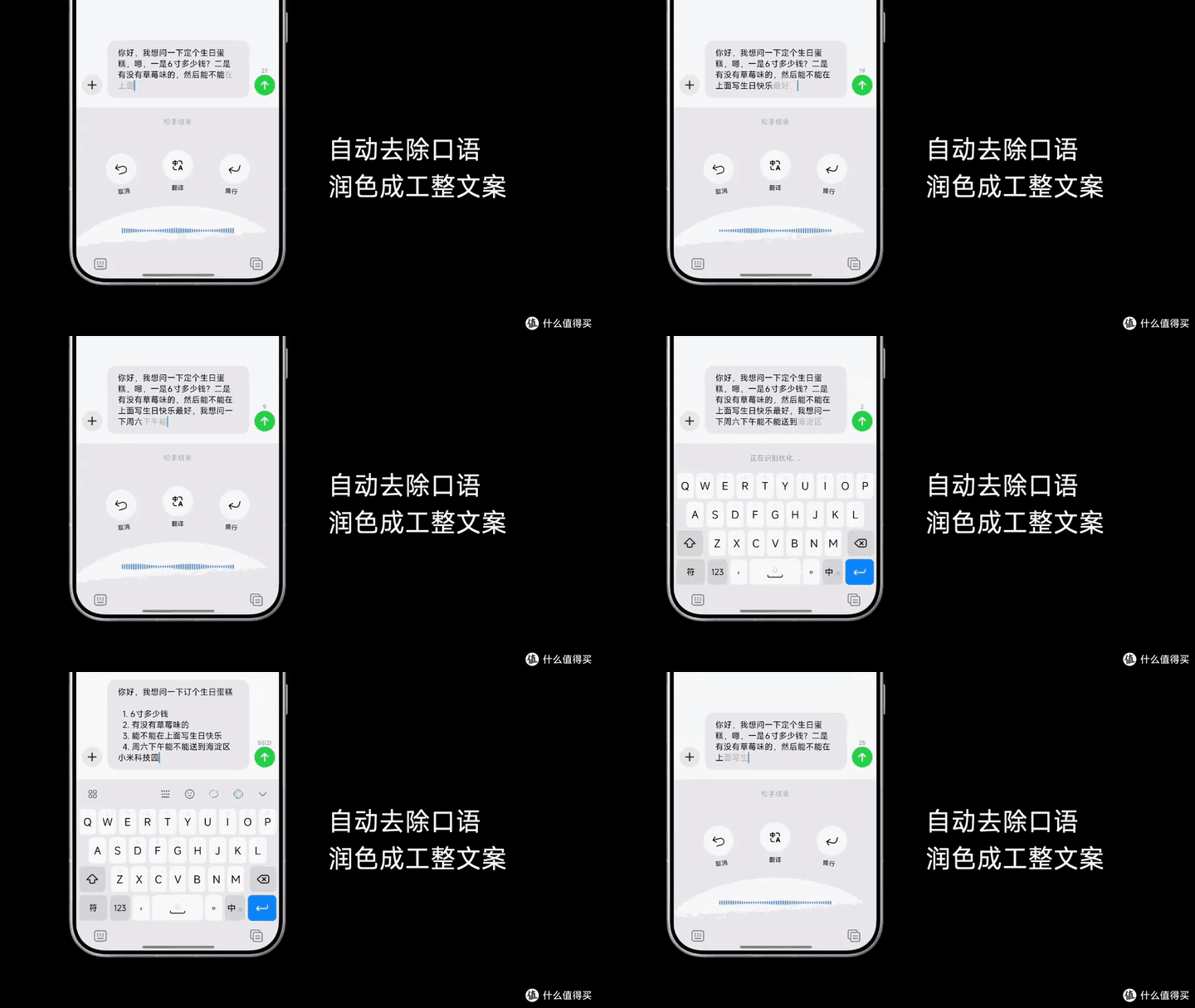
Voice input, translation, line breaks, and automatic removal of conversational filler can be completed directly while typing.
How useful these features are will depend on whether the system can stop and ask for confirmation at the right moments. Xiaomi says the system requests a second confirmation when an action involves modifying or deleting something, sending data externally, or accessing sensitive content. Memory sources can also be managed and cleared. For AI, being able to execute is important; knowing when to ask the user first is even more important.
Cross-Device Intelligence: Connecting Phones, Computers, and Devices at Home
HyperOS 4 extends Super XiaoAi from phones to computers and tablets. On a phone, you can use one sentence to find a file on a computer; a conversation that was not finished on the computer can continue on the phone. Windows and macOS are both supported, but the relevant system, client, and account requirements must be met.
Expert Mode can combine personal saves with information from across the web in one research workflow and produce a structured result. Image source: Xiaomi’s official HyperOS 4 page.
Ecosystem-device controls have also been reorganized. The Unified Device Center supports pinning frequently used devices and switching between homes with one tap. Two phones signed in to the same Xiaomi account can synchronize incoming calls and verification codes. Recorder can recognize meeting scenarios, extract key points, and generate an outline. Notes adds voice quick capture, intelligent organization, and summary templates. The Super XiaoAi keyboard supports polishing voice input and translating between Chinese and English.
Xiaomi Super Island now covers more services as well. Xiaomi says that more than 130 services were online as of July 31, 2026. It is not just a notification capsule; it brings ride-hailing, music, exercise, food delivery, and other tasks that need continuous tracking to the top of the screen.
Security Boundaries: AI Needs Clear Limits, Too
Cross-device intelligence lets users find files and hand off conversations without explaining the context again. Image source: Xiaomi’s official HyperOS 4 page.
When Super XiaoAi can read the gallery, find files, and control devices, privacy and permissions cannot be addressed with “we are secure” alone. Xiaomi’s solution includes device-cloud privacy computing, refusing to answer sensitive-data questions while the phone is locked, app controls and second confirmation for sensitive actions, and automatic memory that users can manage and clear.
The core idea is to break a task into checkpoints that can be confirmed: what XiaoAi has seen, which service it is preparing to call, and which step will modify or send data. Users can stop the process before a critical action instead of discovering only after completion that a permission has already been used.
Xiaomi also clearly warns that device-cloud confidential computing, Expert Mode, the Inspiration Ball, and some ecosystem capabilities are supported only on certain devices or software versions. A system promotion page shows the upper limit of what is possible; the actual experience depends on device compatibility and the version that is delivered.
Rollout Schedule: New Flagships First, Older Models in Waves
Xiaomi’s published HyperOS 4 stable-release plan shows that the first wave of existing devices will begin receiving the update on October 15, followed by batches at the end of October, in mid-November, at the end of November, in December, and in January 2027.
The first wave centers on the Xiaomi 17 series, REDMI K90 series, and Xiaomi Pad 8 series. Xiaomi 15, MIX Flip 2, and REDMI K80 are scheduled for November, while Xiaomi 14, Xiaomi 13, REDMI K70, and K70E are concentrated in December. TVs, watches, bands, and monitors also appear on later lists.
Being on the list and receiving an OTA update that day are two different things. Xiaomi uses the phrase “rolling out successively,” so timing may differ between users of the same model. Even when an upgrade is available, different chip platforms may not receive exactly the same Liquid Glass, Inspiration Ball, or Expert Mode features.
Meydo, Your Pocket AI Companion
Having an AI companion makes life pretty cool.
Final Thoughts: HyperOS 4 Is Designed to Interrupt You Less
Liquid Glass addresses whether the system looks and feels responsive. End-to-end smoothness addresses whether it becomes sluggish after extended use. Super XiaoAi 2.0 addresses whether complex tasks can be completed with fewer taps. Together, they form the full direction of HyperOS 4.
It has not made apps disappear, nor has it handed everything over to AI. Maps, Gallery, Mi Home, computers, and cars still provide their own specialized capabilities. Super XiaoAi’s role is to connect those capabilities around the user’s goal. Ideally, users only need to explain what they want to do; the system lays out the path and returns control to the person when privacy, payment, or deletion is involved.
If later device support remains stable, HyperOS 4 could be a key update in Xiaomi’s move from “upgrading the system interface” toward “collaboration across the entire ecosystem.” The most important thing to watch is not how attractive the glass effects are, but whether the system can reliably handle what comes next when you really do say only one sentence.
Data and image sources: the articles “Xiaomi HyperOS 4 Upgrade List Released: 105 Models Covered—Is Your Phone Included?”, “HyperOS 4 Stable-Version Rollout Plan Released: First Wave on October 15, Xiaomi 13 and K70E Finally Included,” the Sohu article “Real-World HyperOS 4 Experience! A Longtime Mi Fan Tests It: Maximum Smoothness or Just a Change of Packaging?”, the What’s Worth Buying article “October 15 Confirmed! HyperOS 4 Rollout Plan Arrives—How Powerful Is Super XiaoAi 2.0?”, and related Baidu Baike pages. Official test data comes from Xiaomi laboratories. Specific features, supported models, and rollout timing are subject to Xiaomi’s later announcements and the versions actually delivered.


